NextUI (Modern UI)
NextUI (Modern UI)
Tips
This feature will be included in the 5.20.0 release for Self Hosted customers.
NextUI is Rundeck’s way of offering newly migrated or updated UI pages to customers. As we modernize the interface from legacy code or change UI dynamics, these pages can be more performant and easier to maintain or use.
What is NextUI?
- Modernized pages: Individual pages (or parts of the product) that have been rebuilt with Vue 3.
- Opt-in experience: NextUI pages are available when the NextUI option is enabled; you may see them for jobs, activity, project settings, and other areas as we roll out updates.
- Still evolving: Pages under NextUI may have minor issues, bugs, or tweaks still in progress. We keep them under the NextUI umbrella until they are fully polished, then they become the default experience.
Where you’ll see it
NextUI is not limited to one section—it can apply to any page we've migrated. As we continue the modernization effort, more areas of the product will be available in the modern UI when NextUI is enabled. You'll know you're on a modernized page when you see "Next UI enabled" in the bottom bar.
Enabling NextUI
When your instance supports it, you can enable NextUI so that modernized pages are used where available:
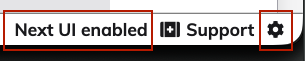
- Click the gear icon in the lower right of any screen to open settings.
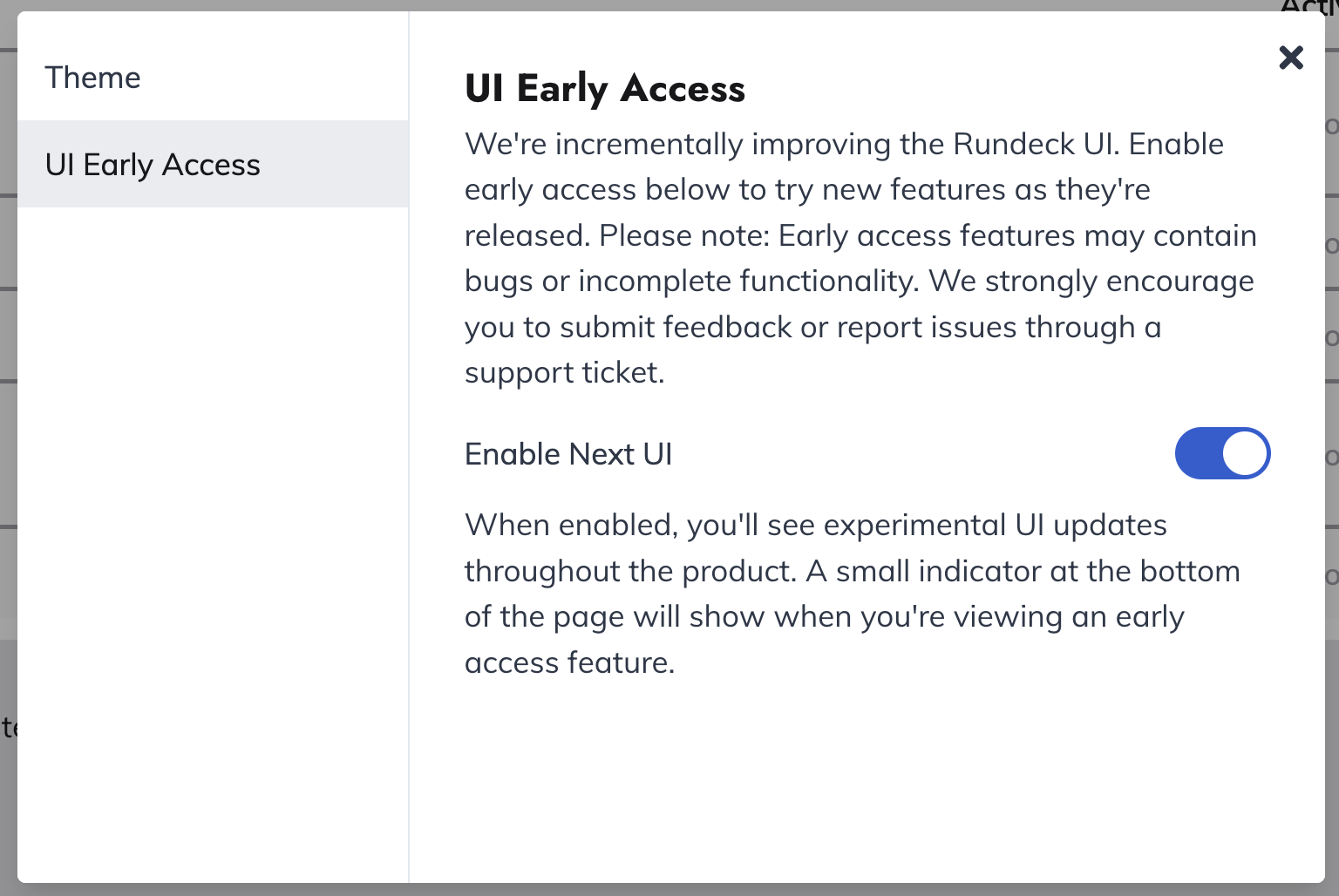
- Select UI Early Access in the panel that opens.
- Turn on the Enable Next UI toggle.